Your phone goes dead. Cell towers are down. The internet’s a memory. How do you reach your people?
Most of us don’t think about this until we need to. But when hurricanes knock out infrastructure for weeks, when wildfires melt cell towers, or when you’re just miles from the nearest signal on a backcountry trip, suddenly that $1,000 smartphone is a very expensive paperweight.
That’s where Meshtastic comes in. It’s an open-source project that turns cheap LoRa radio boards into encrypted mesh networks. No cell service. No internet. No monthly fees. No government backdoors. You buy a $30 device, flash some firmware, and you’ve got your own private communication layer that works when everything else doesn’t.

What Meshtastic Is and Why It Matters
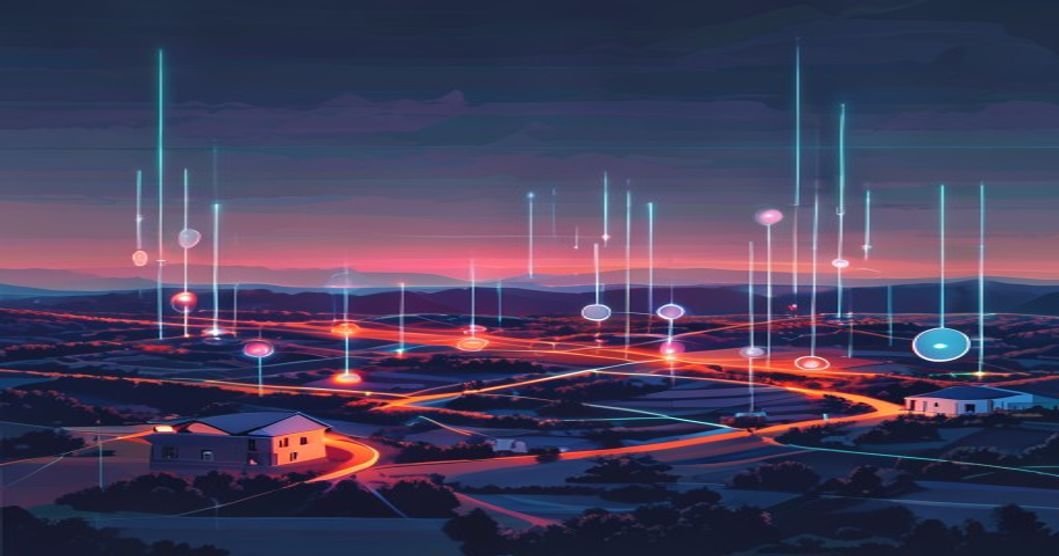
Meshtastic is an open-source LoRa (Long Range) mesh networking platform. Each device, called a node, can send and receive encrypted text messages, GPS positions, and sensor data over radio frequencies. When two or more nodes are in range, they automatically relay each other’s messages. Add more nodes, and your coverage area grows. It’s that simple.
The project has exploded. There are now an estimated 40,000+ active nodes worldwide across 42 countries. At DEF CON, hackers deployed 2,000-2,500 simultaneous nodes in a single venue. The official documentation now lists over 100 supported hardware variants, and more than 300 developers are contributing to the codebase. This isn’t a weekend project anymore, it’s a movement.
Why does this matter for you? Three reasons:
- Resilience: Your communication doesn’t depend on any single company’s infrastructure. No AT&T, no Verizon, no Starlink. It’s yours.
- Privacy: Messages are encrypted with AES-256. There’s no central server to subpoena. No metadata goldmine for advertisers.
- Cost: You can get started for under $30. No subscriptions. No contracts. Buy once, use forever.
If you’re already thinking about self-sufficiency, running your own local AI models, keeping your data on your own hardware, or building off-grid power solutions, Meshtastic is the communication piece you’re missing.

How It Works (Plain English)
Here’s the stripped-down version. Meshtastic uses LoRa radio, a low-power, long-range radio modulation technique that operates in unlicensed ISM bands (think walkie-talkie frequencies, but smarter). Each node has a small radio module that broadcasts digital packets over the air.
When you send a message from your phone (via Bluetooth to your node), your node converts it to a radio packet and broadcasts it. Any node within range receives it and rebroadcasts it. This hop-by-hop relay is the mesh part. Your message can reach nodes far beyond your direct radio range, as long as there are intermediate nodes to carry it forward.
Range Expectations
Let’s be honest about range, it’s the question everyone asks, and the answers are all over the place. Here’s what you can realistically expect:
- Urban: 0.5 to 2 miles between nodes (buildings eat signal)
- Suburban: 2 to 5 miles with decent antennas
- Line of sight (rural/elevated): 5 to 15+ miles, some people report 30+ miles mountaintop to mountaintop
The key insight: you don’t need every node to have line of sight to every other node. That’s the whole point of a mesh. Three nodes spaced 3 miles apart in a suburban area can cover a 6-mile stretch. Ten nodes can cover a small city.
Firmware updates have made the platform significantly better. The 2.7 firmware brought enhanced BaseUI interface overhaul, a complete UI overhaul called BaseUI with device-to-device verification, and a much-improved interface. Newer builds have pushed into adaptive data rates and even experimental satellite integration for truly remote deployments.
Hardware Options (The Thrifty Breakdown)
This is where it gets fun. You don’t need expensive gear. Here’s the real pricing landscape based on current device comparisons:
Meshtastic Hardware Recommender
Budget Tier ($15-30)
Meshtastic Hardware Recommender
Budget Tier ($15-30)
- LilyGO T-Beam ($25-40): The OG budget option. ESP32 + LoRa + built-in GPS. No case, no battery, you’ll need to add those. Great for tinkerers who want to DIY everything.
- LilyGO T-LoRa V2.1 ($15-20): Even cheaper. No GPS, but solid for basic messaging. Tiny form factor.
Mid-Range (-50)
- Heltec V3 ($20-30): Probably the best bang-for-buck right now. Good build quality, nice screen, solid community support. This is what I’d recommend for most people starting out.
- Seeed Studio SenseCAP Card Tracker T1000-E ($40-50): Pre-built, ruggedized, with a case. Less tinkering, more “charge it and go.”
Premium (-80)
- Rak Wireless WisBlock ($50-70): Modular system. You pick the modules you need. Great for custom builds and sensor integration.
- LilyGO T-Echo ($60-80): Premium build with e-ink display, GPS, and long battery life. Beautiful hardware if you want something that works out of the box without looking like a science project.
My recommendation? Grab a Heltec V3 for $25, a cheap antenna upgrade for $10, and a 3D-printed case (or a Tupperware container, I won’t judge). You’re in for under $40 with a setup that actually works.

Get the off-grid comms checklist
Getting Started: Step-by-Step
Get the off-grid comms checklist
Getting Started: Step-by-Step
Here’s how to go from zero to sending messages in about 20 minutes.
- Buy your hardware. I recommend the Heltec V3 from AliExpress or Amazon. Make sure you’re getting the 868MHz version if you’re in Europe/Africa, or the 915MHz version for North America/Australia. Frequency matters, it’s regulated by region.
- Flash the firmware. Go to meshtastic.org and download the web flasher. Connect your device via USB-C, click “Flash,” and wait. Takes about 2 minutes. The web flasher handles everything, no command line needed.
- Install the app. Grab the Meshtastic app for Android or iOS. Open it, pair via Bluetooth with your newly flashed node.
- Configure your node. Give it a name. Set your region (this locks in the correct frequency band). Optionally set a channel name and PSK (pre-shared key) for private messaging. The default channel works for public mesh, change it if you want privacy.
- Send a message. Type a message in the app. It goes through your node via LoRa radio to any other node in range. If there are no other nodes nearby, you’re still broadcasting, others will pick it up as the network grows.
- Upgrade your antenna. The stock antennas on most boards are garbage. A $8-15 SMA antenna upgrade can double or triple your range. This is the single best investment you can make.
That’s it. You’re running. Total time: 20 minutes if you’re slow. Cost: $25-40.

Real-World Use Cases
Emergency Preparedness
During the Australian bushfire seasons, firefighting teams have deployed Meshtastic nodes to coordinate in areas where cell infrastructure literally burned down. Trekking guides in Nepal use them to stay connected with base camps in valleys with zero cell coverage. This isn’t theoretical, it’s saving lives right now.
For preppers, the math is simple. A $30 device that lets your family communicate across several miles without any infrastructure dependency is one of the highest ROI preparedness investments you can make.
Community Networks
This is where it gets interesting. Communities are building out permanent mesh networks in cities. Imagine your neighborhood running its own communication layer, local alerts, lost pet notifications, tool-sharing requests, neighborhood watch coordination, all without anyone’s data touching a corporate server.
Off-Grid and Homesteading
If you’re living off-grid or running a homestead, Meshtastic fills the communication gap between “yelling really loud” and “paying $100/month for satellite service.” Set up nodes at your house, barn, workshop, and the neighbor’s place. You’ve got a private intercom that never goes down and costs nothing to operate.
Events and Gatherings
Music festivals, outdoor meetups, hunting trips, off-road runs, anywhere with bad cell coverage and a group that needs to coordinate. Drop a few nodes in the group, everyone installs the app, and you’ve got instant group messaging that doesn’t depend on a tower that doesn’t exist.
How This Fits Into a Resilience Strategy
Here’s how I think about it. Over at TheThriftyDev, and specifically in the blog, we cover a lot of self-sufficiency angles, running your own AI, building your own tools, keeping your data local. Communication is the missing layer in most people’s resilience plan.
Think of it as a stack:
- Compute: Local AI, self-hosted services, your own hardware
- Power: Solar, battery banks, generator backup
- Data: Local storage, backups, knowledge archives
- Communication: Meshtastic mesh networks
Each layer makes you less dependent on external systems. Meshtastic handles the communication layer for less than you’d spend on a month of cell service.
And let’s be real about something else: censorship. In countries where governments shut down internet access during protests (this has happened in over 50 countries in the past decade), mesh networks are one of the few ways people can still coordinate. Even in free countries, having a communication channel that nobody can shut off, monitor, or censor is a powerful thing. Some countries may eventually try to regulate LoRa devices as mesh networks grow. The time to build is now, not after regulation makes it harder.
The 40,000+ node count on the public map almost certainly underestimates real deployment. Many nodes are private, unmapped, running on custom channels. The actual number is probably much higher. This is infrastructure that’s being built from the ground up, by regular people, one $30 device at a time.
Actionable Takeaways
- Buy one node today. Start with a Heltec V3 ($25). Flash it, configure it, learn the system. You can’t understand mesh networking by reading about it, you need to hold it in your hands.
- Upgrade the antenna immediately. The stock duck antenna is the weakest link. A $10-15 upgrade to a proper 915MHz (or 868MHz) antenna will dramatically improve your experience.
- Talk to your neighbors. Mesh networks need mesh. The more nodes in your area, the more useful the network becomes. Convince 3-5 people in your area to run nodes and you’ve got a real communication grid.
- Set up a private channel. The default public channel is fine for testing, but for real use, create a private channel with a unique name and PSK. Share the channel config with your group via QR code.
- Add GPS tracking. If your device supports it (T-Beam, T-Echo, most mid-range boards), enable GPS position sharing. This turns your mesh into a live tracking system for family members or group members, massive safety benefit.
- Build a solar node. For about $25-40-60 total, you can build a permanently deployed solar-powered node. A small solar panel, a 18650 battery holder, and a weatherproof case. Put it on your roof and forget about it, it just works, extending your mesh 24/7.
The Bottom Line
Meshtastic isn’t a toy, and it’s not just for preppers with tinfoil hats. It’s practical, affordable off-grid communication that anyone can set up in minutes. The hardware is cheap, the software is free, the encryption is real, and the community is massive and growing fast.
We’re heading into a world where infrastructure resilience matters more than ever. Climate disasters, political instability, corporate data grabs, pick your threat model. Having a communication layer that you own, that works without permission from any company or government, isn’t paranoia. It’s prudence.
Spend the $30. Flash the firmware. Join the mesh. Future you will thank present you when the lights go out.
, TheThriftyDev
Quick Channel Setup
Frequently asked questions
How much does a Meshtastic network cost to start?
Does Meshtastic need the internet or a phone plan?
How far does a Meshtastic node actually reach?
Related Posts
- FCC Wants Your ID to Activate a Phone, Privacy Is Dead
- Mandatory ID Is Coming for Phones and Social Media. Here’s How to Move to Nostr Before the Gate Closes
- Private AI Is Becoming the New Developer Edge: Why Venice AI Fits the 2026 Shift
More on keeping your own data yours is collected in the Privacy and Digital Rights Hub.
Try it here: Venice AI private chat. If you try Venice through this link, TheThriftyDev may earn a referral benefit.
Read next
The Beginner’s Homelab: What to Buy First, What to Skip
15 min read·Published Sep 29, 2026NostrXFacebookRedditTelegramSMSCopyOn this page▾What a Homelab Actually IsStage One: The First $200Stage Two: Up to $500 TotalStage Three:…
Run a Hermes AI Gateway on an $80 Android Phone (Termux)
0 0 votes Article Rating Part of Sovereign Builder Protocol Why would you run an AI agent on a phone instead of…
Private AI Workflows: Keep Client Secrets Off Someone Else’s GPU
0 0 votes Article Rating Part of AI Tools + Private AI Hub In 2023, two New York lawyers were fined $5,000…