
MCP Explained: The “USB-C Port for AI” That’s Changing How Everything Connects
Here’s the problem with AI agents right now: they’re smart, but they’re isolated. Your AI assistant can write code, draft emails, and analyze data, but only if you copy-paste everything into the chat window. It can’t do things. It can’t book a meeting, update your CRM, or query your live database. Not without someone building a custom integration first.
That’s where MCP (Model Context Protocol) comes in. It’s an open standard that gives any AI agent a universal way to connect to any tool, data source, or API. The official documentation literally calls it “a USB-C port for AI applications”, one connector that works with everything.
And in 2026, this isn’t some experimental side project anymore. OpenAI, Google DeepMind, and the Linux Foundation have all backed it. 79% of enterprises now run AI agents at some level. If you’re building anything with AI this year, MCP is the plumbing you need to understand.
Let’s break it down, no PhD required.
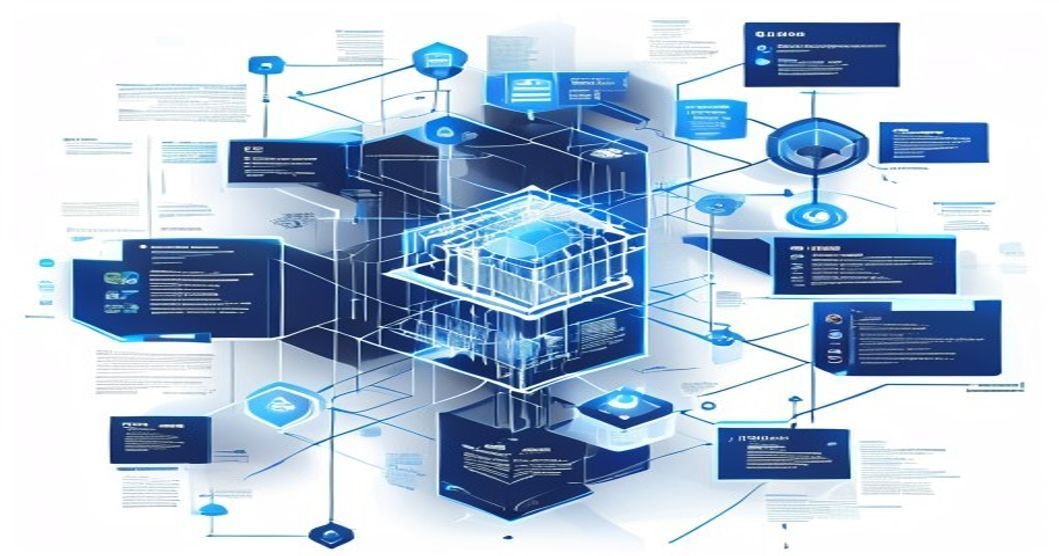
What is MCP, Actually?
Anthropic introduced MCP in November 2024. The pitch was simple: instead of every AI tool building its own custom integrations with every data source (a nightmare N×M problem), create one open protocol that everything speaks.
Here’s how Google Cloud describes it: MCP solves the fact that LLMs can’t access real-time data or perform actions on their own. The protocol uses a client-server architecture where:
- Hosts contain the LLM (like Claude or ChatGPT)
- Clients translate requests between the host and servers
- Servers connect to actual data sources, databases, calendars, file systems, APIs
Databricks breaks down the math: without MCP, connecting N AI tools to M data sources means building N×M integrations. With MCP, it’s N+M, each client and each server implements the protocol once, and everything just connects.
That’s not a small thing. If you’ve ever spent a week building a custom integration between your AI agent and Notion, only to rebuild it when Notion updates their API, you feel this.

Why 2026 is the Year MCP Goes Mainstream
MCP started as Anthropic’s project, but it didn’t stay there. The timeline tells the story:
- Late 2024: Anthropic launches MCP with pre-built servers for Google Drive, Slack, GitHub, and Postgres. Early adopters include Block and Apollo. (Source: Anthropic)
- 2025: OpenAI and Google DeepMind adopt MCP. In December 2025, it’s donated to the Agentic AI Foundation under the Linux Foundation.
- Early 2026: The MCP Apps extension gets formalized under the SEP-1865 specification. SDKs now exist in TypeScript, Python, Java, Kotlin, C#, Go, PHP, Ruby, Rust, and Swift.
When the Linux Foundation takes stewardship of something, it’s not a side project anymore. And when both OpenAI and Google back the same protocol that a competitor created, that’s not normal. That’s a sign the industry sees this as foundational infrastructure.
The numbers back it up. PCMag called agentic AI, not chatbots, the key technology trend of 2026. Q1 2026 saw $242B in AI venture funding, representing 81% of all VC globally. And 40% of enterprise applications are projected to embed task-specific AI agents by end of year.
Those agents need to connect to things. MCP is how they’ll do it.
What Can You Actually Do With MCP?
Alright, enough theory. Here’s what MCP lets AI agents actually do in practice:
Access live data. An AI agent can query your Postgres database, read from your Google Drive, or pull live data from an API, without you writing custom connectors for each one. Pre-built MCP servers exist for Google Calendar, Notion, GitHub, databases, and file systems.
Take actions. This is the big one. MCP doesn’t just let agents read data, they can write to databases, update records, book meetings, and trigger workflows. Google’s guide specifically calls out booking meetings, updating records, and querying live databases as use cases.
Compose tools. Because every server speaks the same protocol, you can chain them. An agent reads your calendar, checks your CRM, and drafts an email, all through MCP connections. No glue code.
If you’ve been building AI agents without code, MCP is what makes those agents actually useful beyond generating text. And if you’re using automation tools like n8n, Make.com, or Zapier, MCP is the layer that lets those tools talk to AI agents natively.
Databricks notes that MCP also complements LLMOps by exposing runtime integration, observability, and governance controls. That’s enterprise-speak for: “you can actually monitor and manage what your AI agents are doing.”

How to Start Using MCP Today
Here’s the good news: you don’t need to build everything from scratch. Here’s how to get started, depending on where you’re at.
MCP Server Starter Table
| Server | Category | Install Command |
|---|---|---|
| filesystem | Local files | npx -y @modelcontextprotocol/server-filesystem./ |
| postgres | Database | npx -y @modelcontextprotocol/server-postgres postgresql://user:pass@localhost/db |
| github | Code hosting | npx -y @modelcontextprotocol/server-github |
| slack | Team chat | npx -y @modelcontextprotocol/server-slack |
If you don’t code (or don’t want to)
Claude and ChatGPT both support MCP natively now. You can use pre-built MCP servers to connect these assistants to your tools without writing a line of code. If you’ve read our guide on why you don’t need to code when AI coding agents exist, this is the next logical step, your AI agent now connects to your actual tools, not just your chat history.
If you build
automation workflows
If you’re already using tools like n8n, Make.com, or Zapier, MCP support is either already there or coming fast. Check the docs for your platform, MCP integration is becoming a standard feature, not a premium add-on.
If you’re a developer
Grab the SDK for your language of choice (TypeScript and Python are the most mature). The official MCP documentation walks through building both clients and servers. You can also browse community-built MCP servers for popular tools instead of rolling your own.
And if you want better prompts for your MCP-connected agents, remember: the protocol handles data access. Your prompting skills still handle what the agent does with that data. Both matter.

What MCP Means for Indie Devs and Small Teams
Here’s why I think MCP matters especially for solo developers and small teams: it eliminates the integration tax.
Big companies have teams of engineers building custom integrations between their AI tools and their data. You don’t. Before MCP, every new tool you wanted your AI agent to talk to meant writing custom API code, maintaining it, and fixing it when something changed. That’s time you’re not spending on your actual product.
MCP changes the equation. When someone builds an MCP server for Notion, everyone benefits. When someone builds one for Stripe, everyone benefits. You get the same integration power as the big companies without the engineering team.
The open-source ecosystem around MCP is growing fast. With SDKs in 10+ languages and pre-built servers for popular tools, the barrier to entry keeps dropping. And because it’s under the Linux Foundation now, you don’t have to worry about one company pulling the plug.
If you’re building AI-powered tools, MCP is becoming table stakes. Not because it’s trendy, but because it genuinely saves time and reduces complexity. That’s the whole point.

Try it here: Venice AI private chat. If you try Venice through this link, TheThriftyDev may earn a referral benefit.
FAQ: Model Context Protocol (MCP)
What is MCP (Model Context Protocol)?
MCP is an open standard that gives AI assistants a universal way to connect to data sources, APIs, and tools. Think of it as a USB-C port for AI, one connector that works with everything. It was created by Anthropic in November 2024.
Who uses MCP?
MCP is supported by Claude, ChatGPT, VS Code, Google’s AI tools, and dozens of other platforms. It was created by Anthropic and has since been adopted by OpenAI, Google DeepMind, and the Linux Foundation.
Is MCP free to use?
Yes. MCP is an open standard donated to the Linux Foundation. SDKs are available in TypeScript, Python, Java, Go, Rust, Swift, and more, all free and open source.
How is MCP different from a regular API?
A regular API connects one app to another. MCP is a protocol that standardizes how all AI agents connect to all tools. Instead of building N×M custom integrations, you build N+M, each client and server implements the protocol once. Source: Databricks.
Do I need to code to use MCP?
Not necessarily. Many MCP servers come pre-built for popular tools like Google Drive, Slack, GitHub, and Notion. You can use them through Claude, ChatGPT, or VS Code without writing code.
Why should indie devs care about MCP?
MCP eliminates the integration grind. Instead of writing custom connectors for every tool your AI agent needs, you use a single protocol. Less code, less maintenance, more shipping. It levels the playing field between solo devs and companies with dedicated integration teams.
Found this useful? Follow @TheThriftyDev for more practical AI and automation content, no hype, no fluff, just stuff that actually works. Check out the TheThriftyDev blog for more posts like this.
Sources
- Introducing the Model Context Protocol, Anthropic (Nov 2024)
- Model Context Protocol, Wikipedia (Apr 2026)
- What is Model Context Protocol (MCP)? A Guide, Google Cloud
- What is the Model Context Protocol (MCP)?, Databricks
- What is MCP?, Official Docs, MCP Project / Linux Foundation
- AI in April 2026: Biggest Breakthroughs, Kersai (Apr 2026)
- Forget Chatbots. This Is the AI Technology to Watch in 2026, PCMag
Try MCP Live
User: Summarize./docs and list missing setup steps
AI: calls filesystem.list_directory("./docs")
AI: calls filesystem.read_file("./docs/setup.md")
AI: returns a checklist grounded in your local files
FAQ: MCP in Plain English
What is MCP?
MCP is a standard way for AI apps to connect to tools, files, databases, and services.
Why is MCP called USB-C for AI?
Because one standard connector can support many tools instead of every app building custom integrations.
Do I need to code to use MCP?
Not always. Many MCP servers can be installed with one command and connected through supported AI clients.
Is MCP secure?
It can be, but only if you limit permissions and avoid exposing private systems unnecessarily.
Which companies support MCP?
Anthropic introduced MCP and major AI platforms have moved toward similar tool connection standards.
What should I try first?
Start with filesystem or GitHub access because the value is easy to see immediately.
Related Posts
- n8n AI Agents: Self-Hosted Automation Guide (2026)
- OpenAI & Anthropic Are Now Consulting Firms
- Run Your Own AI: The Beginner’s Guide to Local LLMs in 2026
Keep building from here
These related guides continue the same thread with practical next steps:
- AI Tools and Private AI Hub
- GPT-5.5 Is Here: What Devs Actually Need to Know
- You Don’t Code. AI Coding Agents Don’t Care.
- Prompt Engineering for Normal People: 7 Techniques That Actually Work (2026)
- Run Your Own AI: The Beginner’s Guide to Local LLMs in 2026
- Private AI Is Becoming the New Developer Edge: Why Venice AI Fits the 2026 Shift
Read next
The Beginner’s Homelab: What to Buy First, What to Skip
15 min read·Published Sep 29, 2026NostrXFacebookRedditTelegramSMSCopyOn this page▾What a Homelab Actually IsStage One: The First $200Stage Two: Up to $500 TotalStage Three:…
AI Coding Tools for Developers: What’s Actually Worth It in 2026
0 0 votes Article Rating Part of AI Tools + Private AI Hub 84% of developers now use or plan to use…
Run a Hermes AI Gateway on an $80 Android Phone (Termux)
0 0 votes Article Rating Part of Sovereign Builder Protocol Why would you run an AI agent on a phone instead of…