
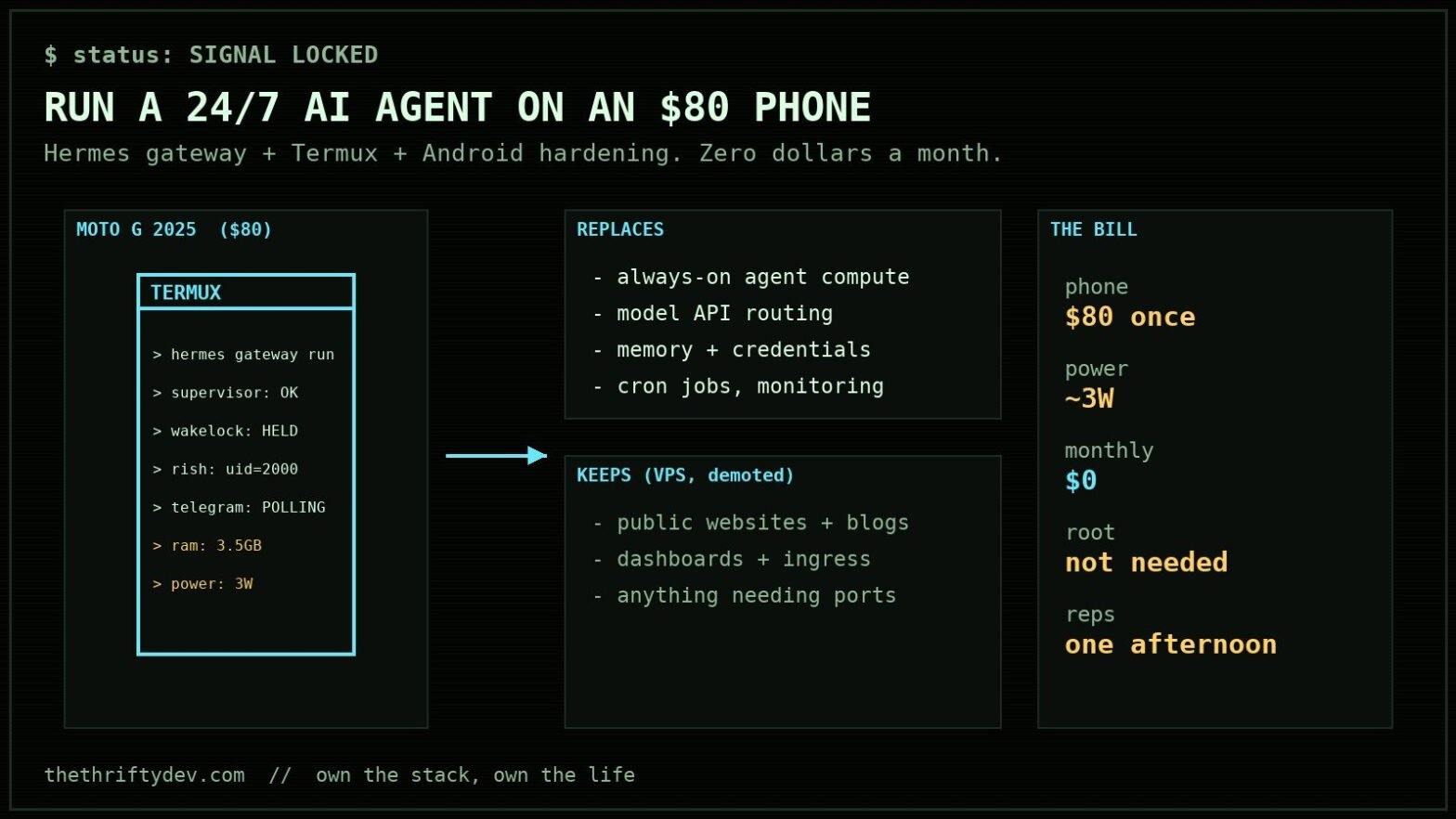
Why would you run an AI agent on a phone instead of a VPS?
An $80 used phone, zero dollars a month, and one afternoon of reps. That is the whole bill for a 24/7 self-hosted AI agent that remembers you, runs scheduled jobs, browses, writes code, and answers you on Telegram. No rented compute for the brain of the operation. The VPS I still keep around has been demoted to what it is actually good at: public ingress for websites.
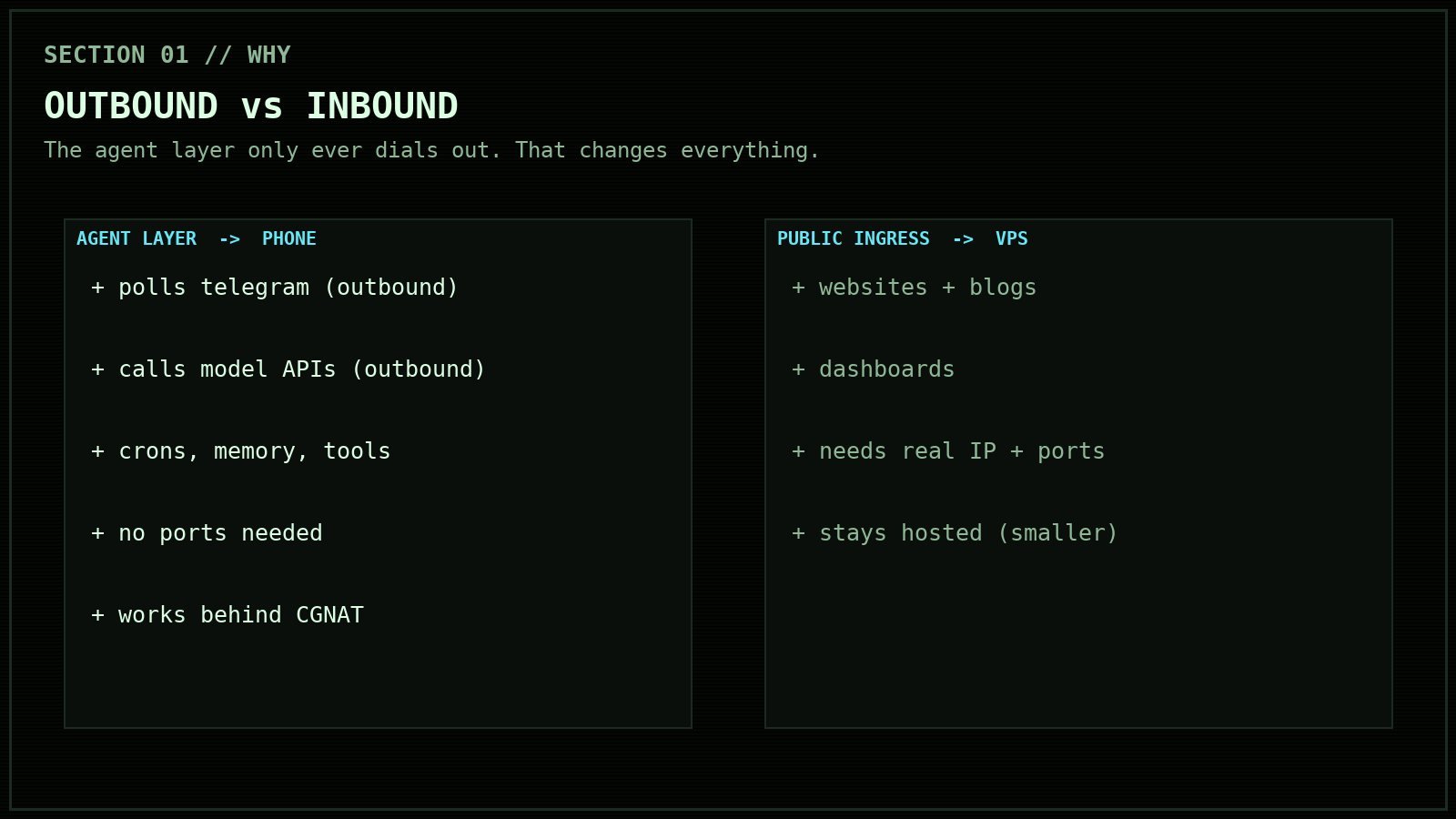
Here is the thing about the agent layer specifically: it does not need inbound ports, a static IP, or a datacenter. A personal AI gateway is an outbound workload. It polls Telegram, calls model APIs, runs your crons. All dial-out. A phone behind carrier-grade NAT does dial-out just fine. What a phone has that a $6 VPS does not: a built-in battery (your UPS is free), 3 watts of power draw, and physical possession. Your agent’s memory, keys, and soul live in a drawer you own, not on someone else’s metal.
Not a flex, just real reps: everything below is the exact playbook from building this yesterday on a Moto G 2025. Same commands, same errors, same fixes.
What do you need to pull this off?
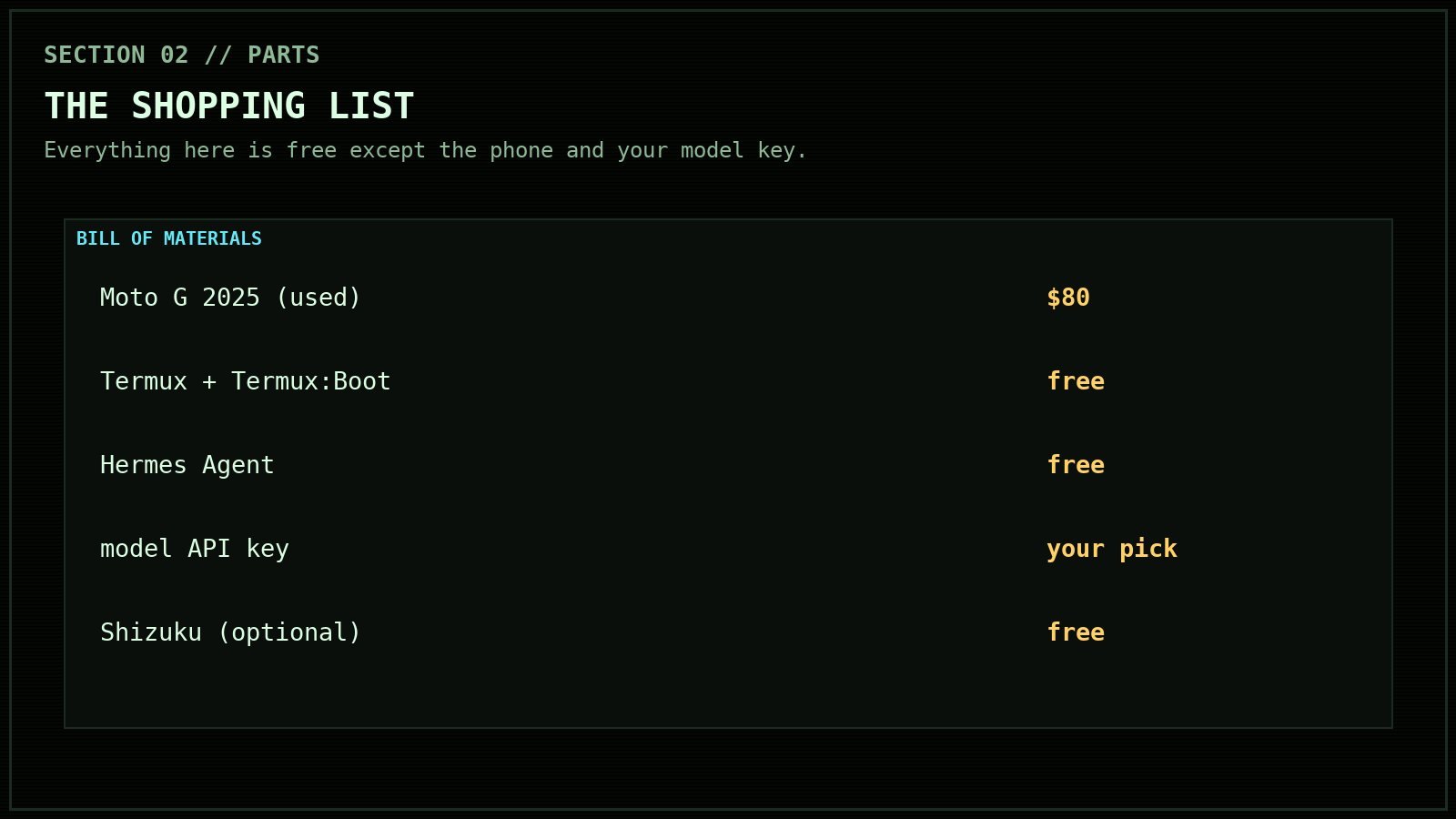
- A spare Android phone. I used a Moto G 2025, $80 used, Android 16, 4 GB of RAM. Ignore the box if it says 8 GB. That is “RAM Boost,” which is swap, and
/proc/meminfowill tell you the truth: 3.56 GB usable. It is enough, but you will learn to respect it. - Termux (F-Droid build), plus Termux:Boot.
- Hermes Agent, the open-source agent harness from Nous Research. Free, MIT-ish, runs a gateway that connects to Telegram and ~20 other platforms (docs).
- A model API key. Your agent is only as sovereign as its brain; pick your provider accordingly.
- Optional but transformative: Shizuku, for shell-level control without root.
How do you install Hermes Agent on Termux?
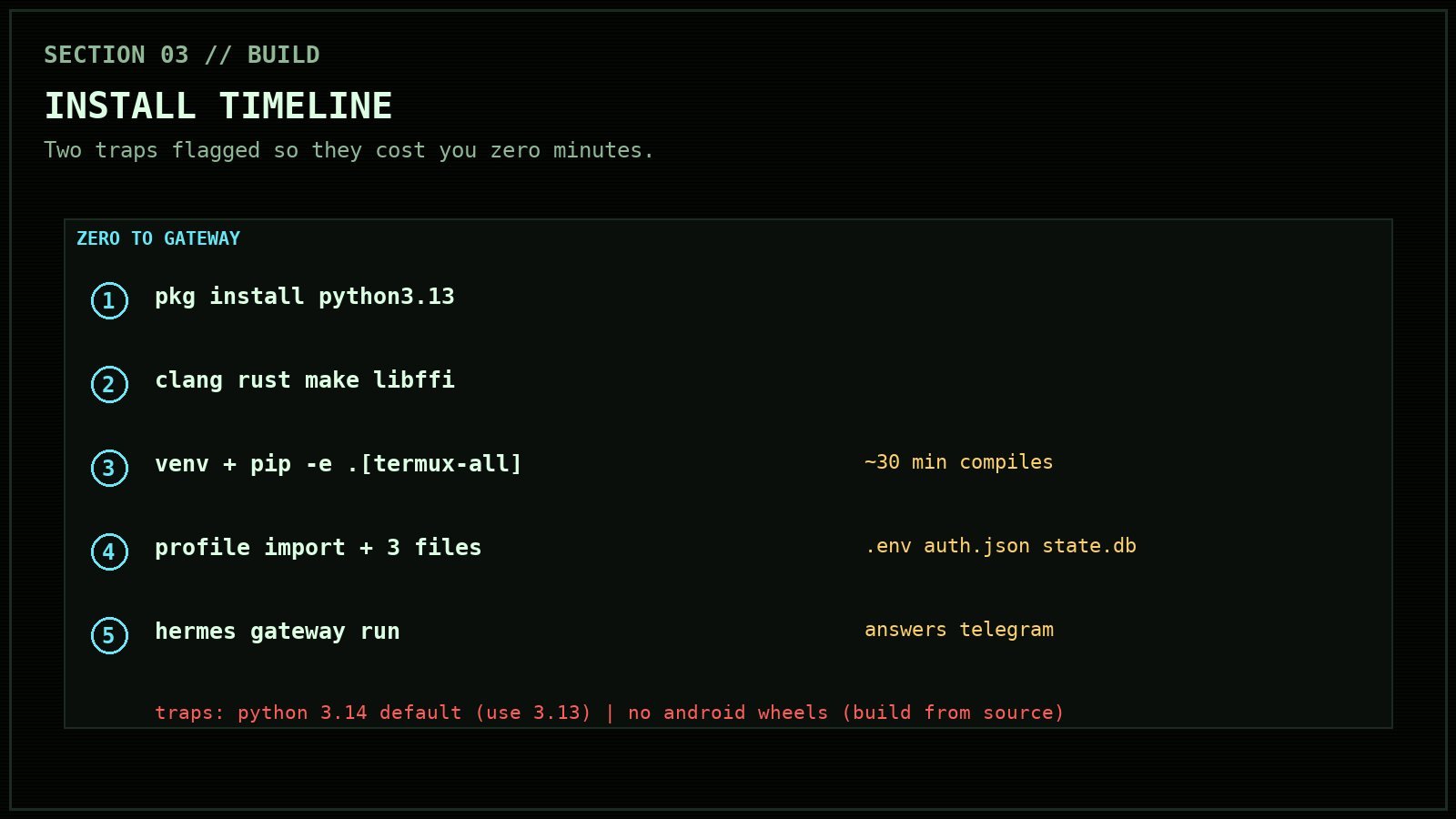
The official installer works on Termux, with two traps that cost me an hour so they will not cost you one.
Trap one: Python. Termux’s default python is 3.14 now, and Hermes wants >=3.11,<3.14. The venv builds fine and then pip rejects the package. The fix is the versioned interpreter, which the tur repo carries:
pkg install python3.13
cd ~/.hermes/hermes-agent
rm -rf venv && python3.13 -m venv venv
Trap two: native wheels. PyPI has no aarch64-Android wheels for the Rust-heavy deps, so pip compiles cryptography, pydantic-core, and friends from source. That means you need the toolchain first, and about 30 patient minutes:
pkg install clang rust make pkg-config libffi openssl
./venv/bin/pip install -e '.[termux-all]' -c constraints-termux.txt
psutil refuses to build on Android at all (upstream issue psutil#2762), but the Hermes installer ships a shim that patches it: scripts/install_psutil_android.py. Run that against your venv before the big install if the installer did not already.
Then the profile. If you are migrating from another machine, hermes profile export on the old box, hermes profile import on the phone, and carry the three files the exporter deliberately skips: .env, auth.json, and state.db. That is your agent’s memory, credentials, and session history. Start the gateway:
hermes --profile migrated gateway runAt this point the agent answers Telegram. On a phone. You could stop here and have a toy. The rest of this post is what makes it an appliance.
How do you keep Android from killing it?
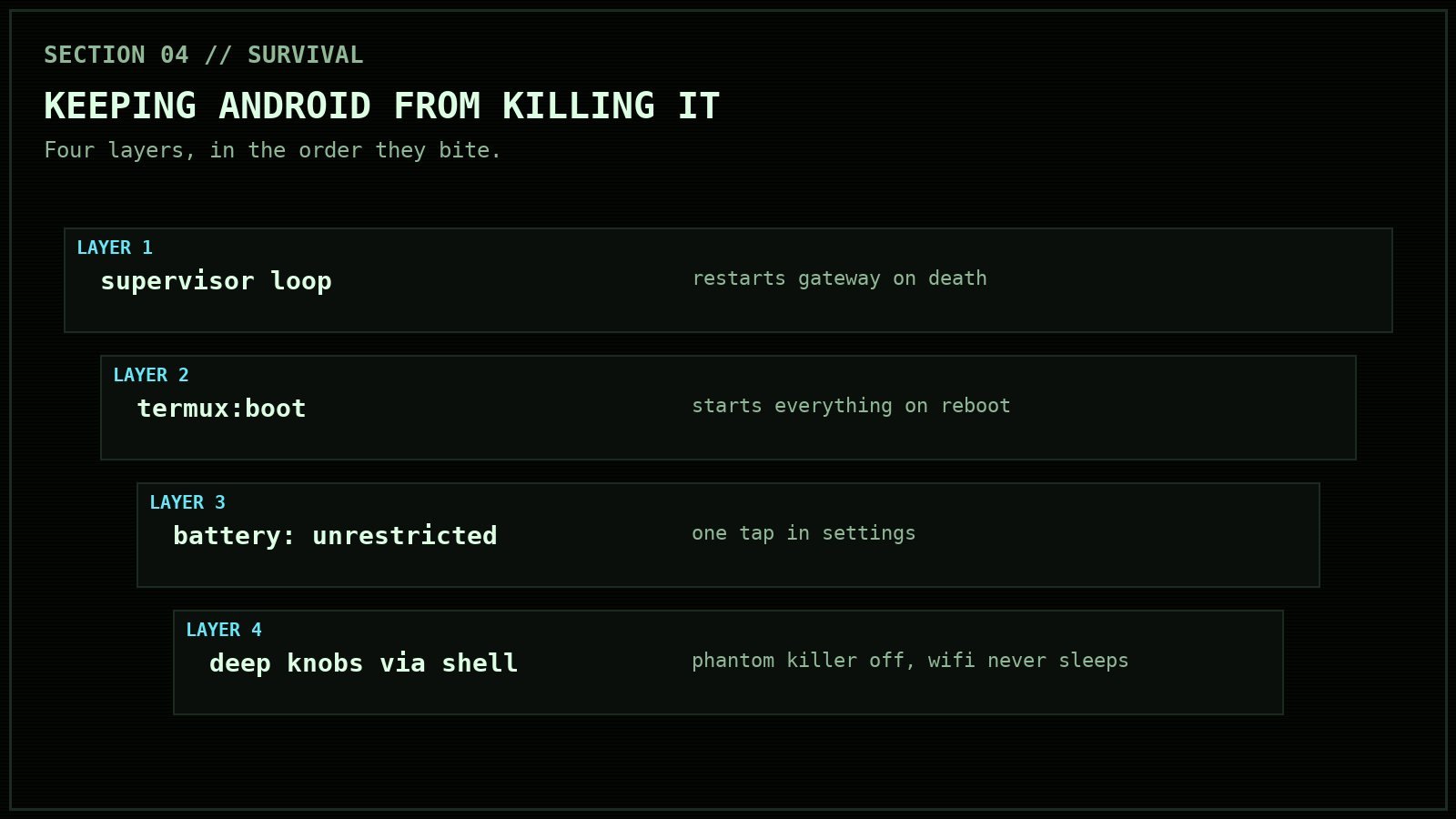
Android treats your agent like a misbehaving flashlight app. Out of the box, it will silently suspend the whole thing the moment the screen turns off. The symptom: the agent goes dark in your pocket, then dumps replies to everything at once when you wake the phone. Four fixes, in the order they bit me:
1. The supervisor loop. A watchdog that restarts the gateway if it dies, gated on a flag file so you can stop it cleanly:
while [ -f "$HOME/.agent-autorun" ]; do
  if ! pgrep -f "gateway run" >/dev/null; then
    "$PREFIX/bin/hermes" --profile migrated gateway run >> "$LOG" 2>&1
  fi
  sleep 15
done
2. Start at boot. Termux:Boot runs anything in ~/.termux/boot/ after a reboot. Mine acquires the wake lock and launches the supervisor:
sleep 20
termux-wake-lock
nohup "$HOME/.agent-watchdog.sh" &
3. The battery screen you actually have to tap. Settings → Apps → Termux → Battery → Unrestricted. There is no command for the full effect; do it once and move on. Also: never swipe Termux out of recents. That kills its foreground service, which is the thing standing between your agent and Android’s cached-app freezer.
4. The deep knobs. These need shell powers, which the next section covers: disable the phantom process killer (Android’s hidden reaper of forked processes), never let Wi-Fi sleep, exempt Termux from Doze, and pin its standby bucket to active:
settings put global settings_enable_monitor_phantom_procs false
settings put global wifi_sleep_policy 2
dumpsys deviceidle whitelist +com.termux
cmd appops set com.termux RUN_IN_BACKGROUND allow
am set-standby-bucket com.termux active
Proof the stack works: after applying these, the phone answered a Telegram message with mWakefulness=Dozing. Screen off, in a pocket, agent fully operational. That line was the whole point of the exercise.

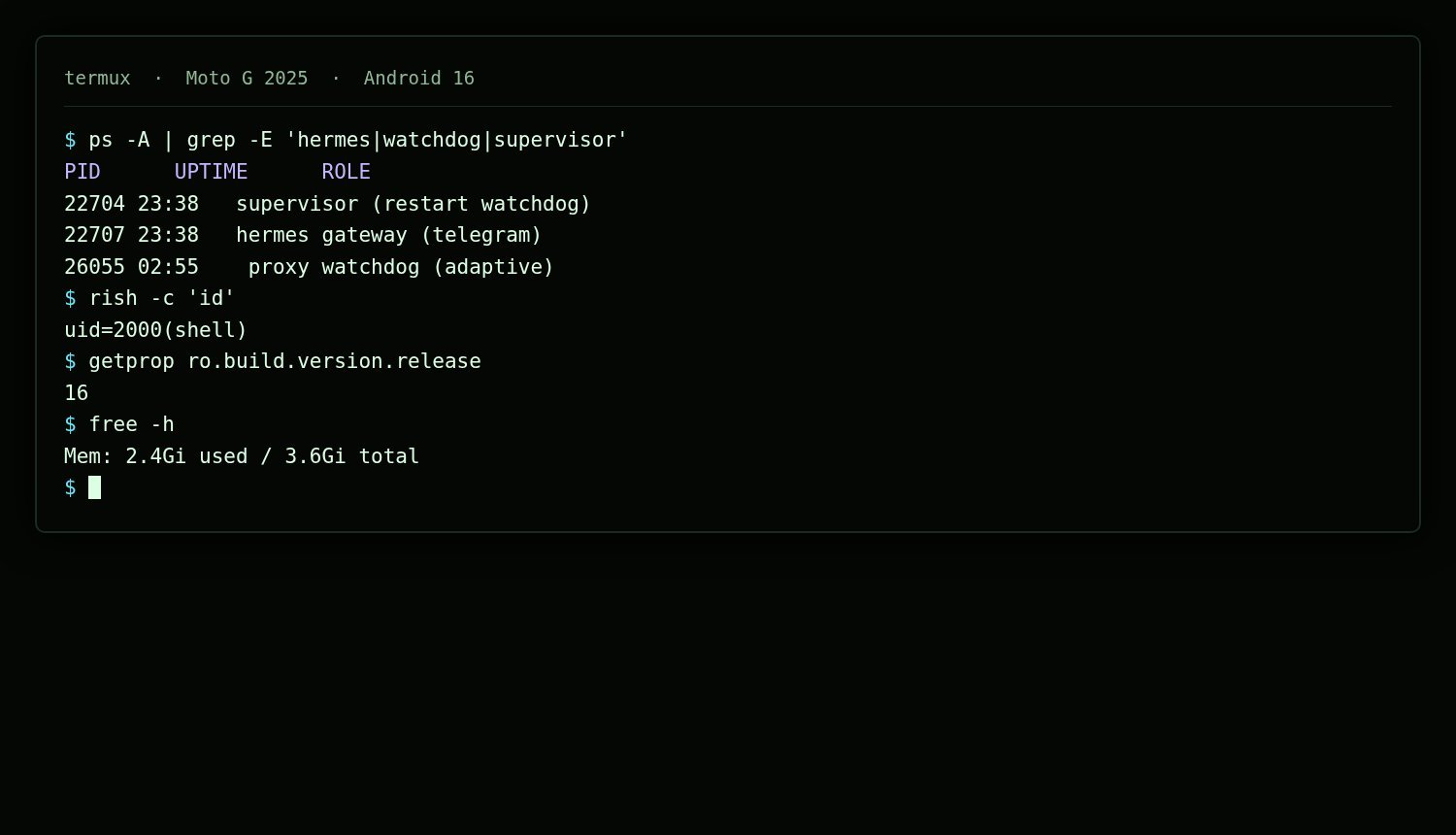
How do you get shell powers without root?
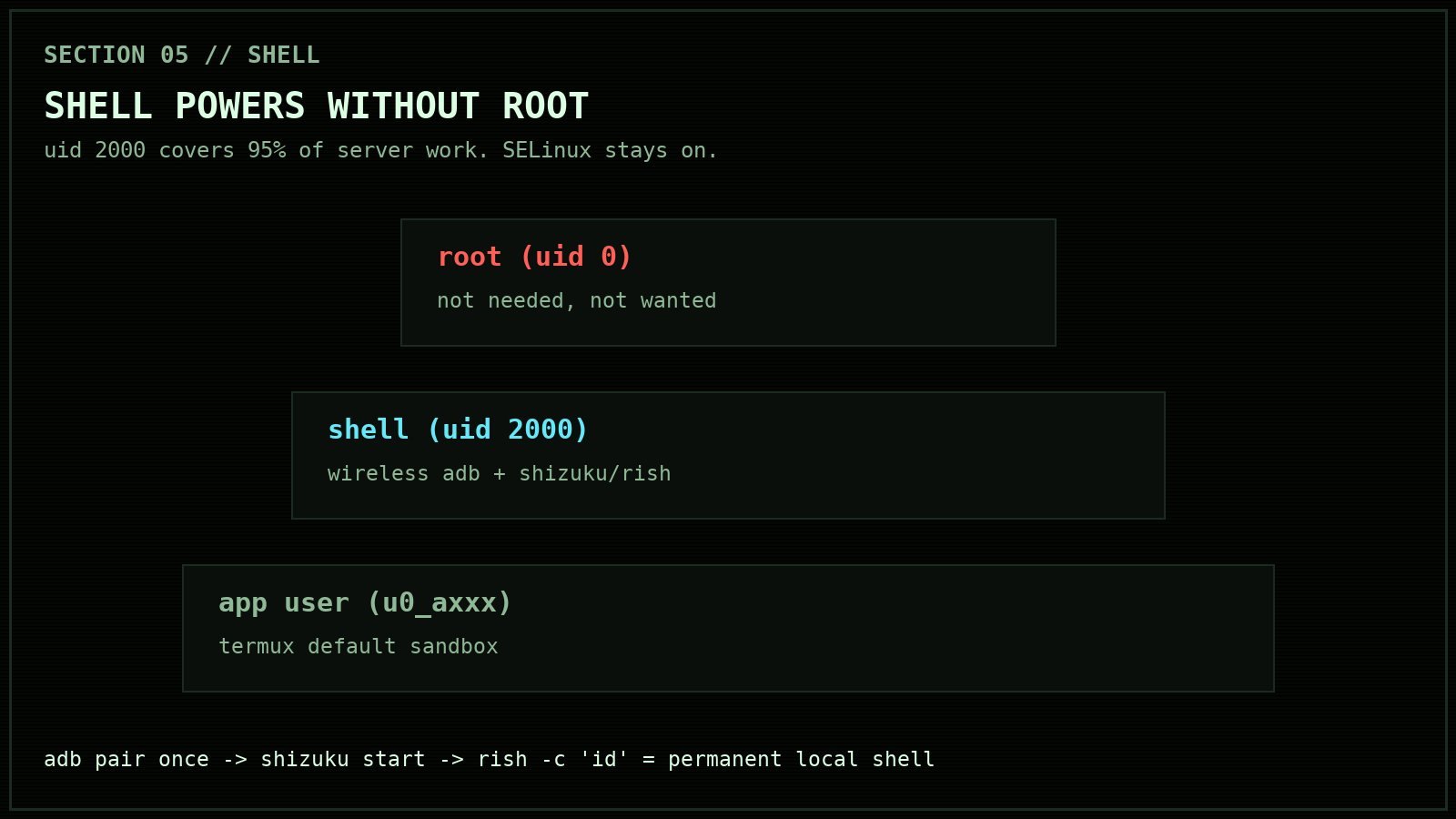
Wireless ADB. Enable it in Developer options, pair once (adb pair IP:port with the six-digit code), and adb shell id reports uid=2000(shell). The shell user is not root, and the distinction matters: it can manage packages, grant permissions, change settings, read logs, and inject input, but SELinux still cages it and /system stays read-only. For running a server, it covers about 95% of what you want. The remaining 5% is stuff this box does not need to do.
Two honest gotchas. First, wireless debugging is tied to the Wi-Fi session: hotspot hiccups and reboots can kill it, and the port rotates when it comes back. Second, adb-over-network is a terrible thing to depend on for automation you cannot babysit.
The permanent answer is Shizuku. Install it (official GitHub APK), start it once over adb, and its server runs with shell privileges locally. Then rish, the Shizuku shell bridge, gives Termux shell powers through a local binder with no network involved at all:
rish -c 'id'
# uid=2000(shell)... context=u:r:shell:s0
After that, wireless debugging can die whenever it wants. Wi-Fi drops, hotspot bounces, none of it touches your access. Shizuku does die on reboot, so after a power cycle you start it once more over adb (or one tap in its app), and everything is immune again until next reboot.
What does this actually let you do?
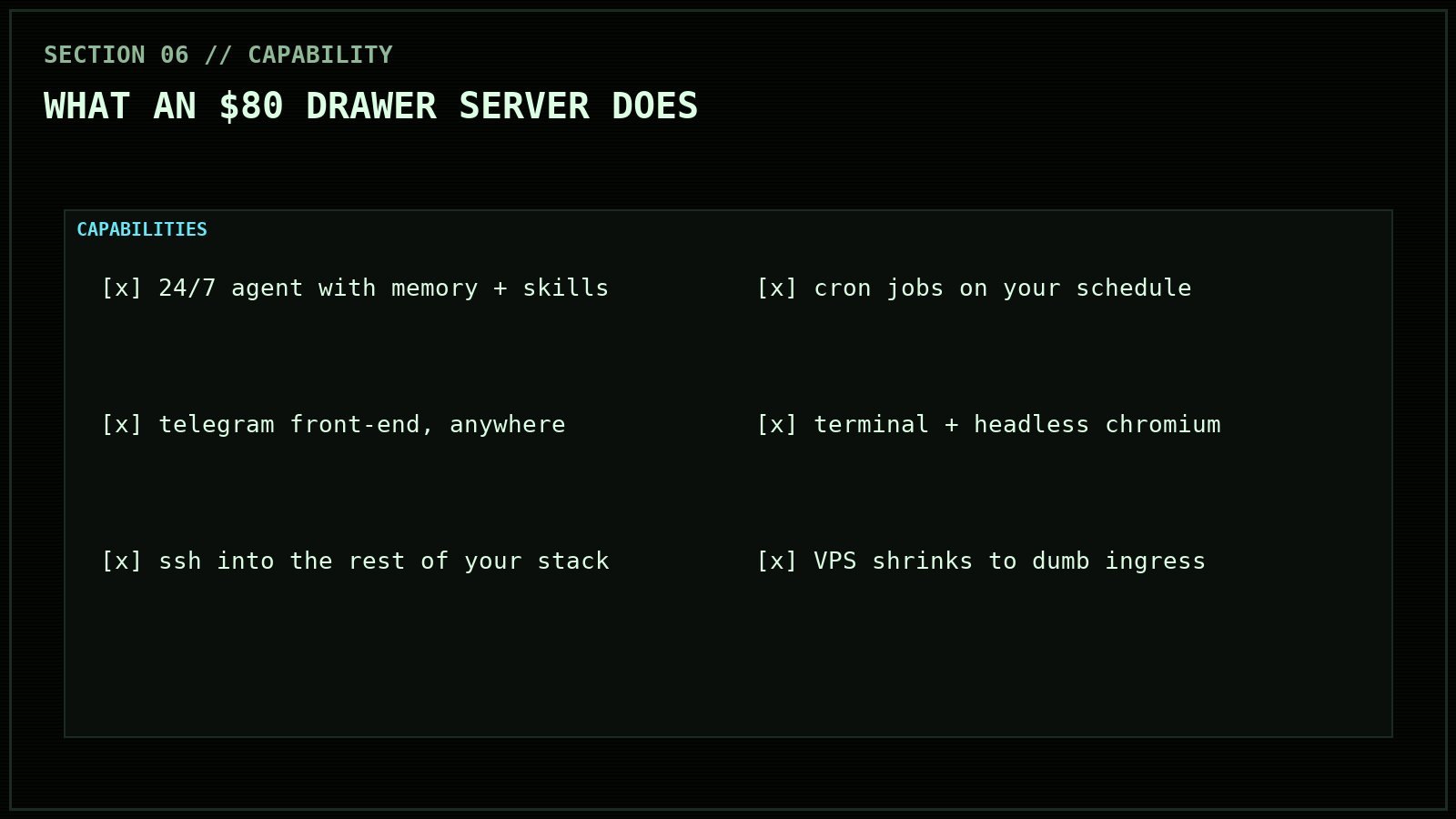
- A 24/7 agent that remembers. Persistent memory and skills across sessions, scheduled cron jobs, a personal operator that knows your infrastructure because it lives inside it.
- Telegram as the front-end. Message it from anywhere. It answers from the drawer.
- Real tools. Terminal, headless Chromium (yes, on the phone; it swaps a little), file access, SSH into the rest of your stack.
- The VPS goes on a diet. Public websites, dashboards, and anything needing real ingress stay hosted. The expensive part, the always-on compute with your credentials in it, comes home.
- Your stack, physically. If a provider changes its terms tomorrow, the agent does not care. It is already here.
What is the catch?
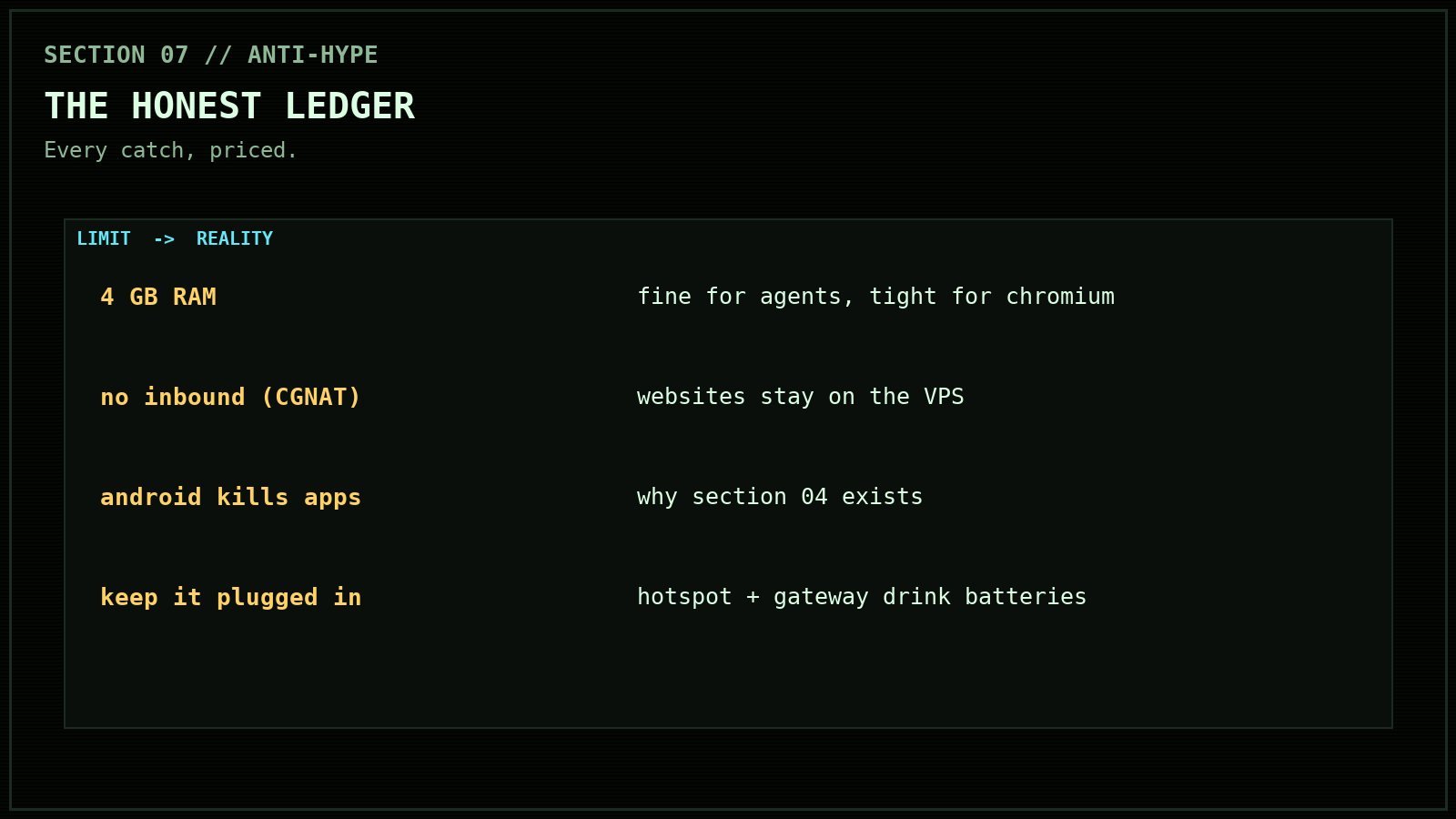
Honest ledger, because anti-hype is the register here. Four gigs of RAM is a real ceiling: fine for an agent, tight for headless browsing, and big compiles will push swap. It is not a public server: no inbound ports through carrier NAT, so websites stay on the VPS. Termux is still an app, which is why the entire hardening section above exists. And you will want the phone plugged in permanently; hotspot plus gateway plus the odd Rust compile is not a battery lifestyle.
None of those are dealbreakers. They are the price list, and the price is one evening and eighty dollars.
Frequently Asked Questions
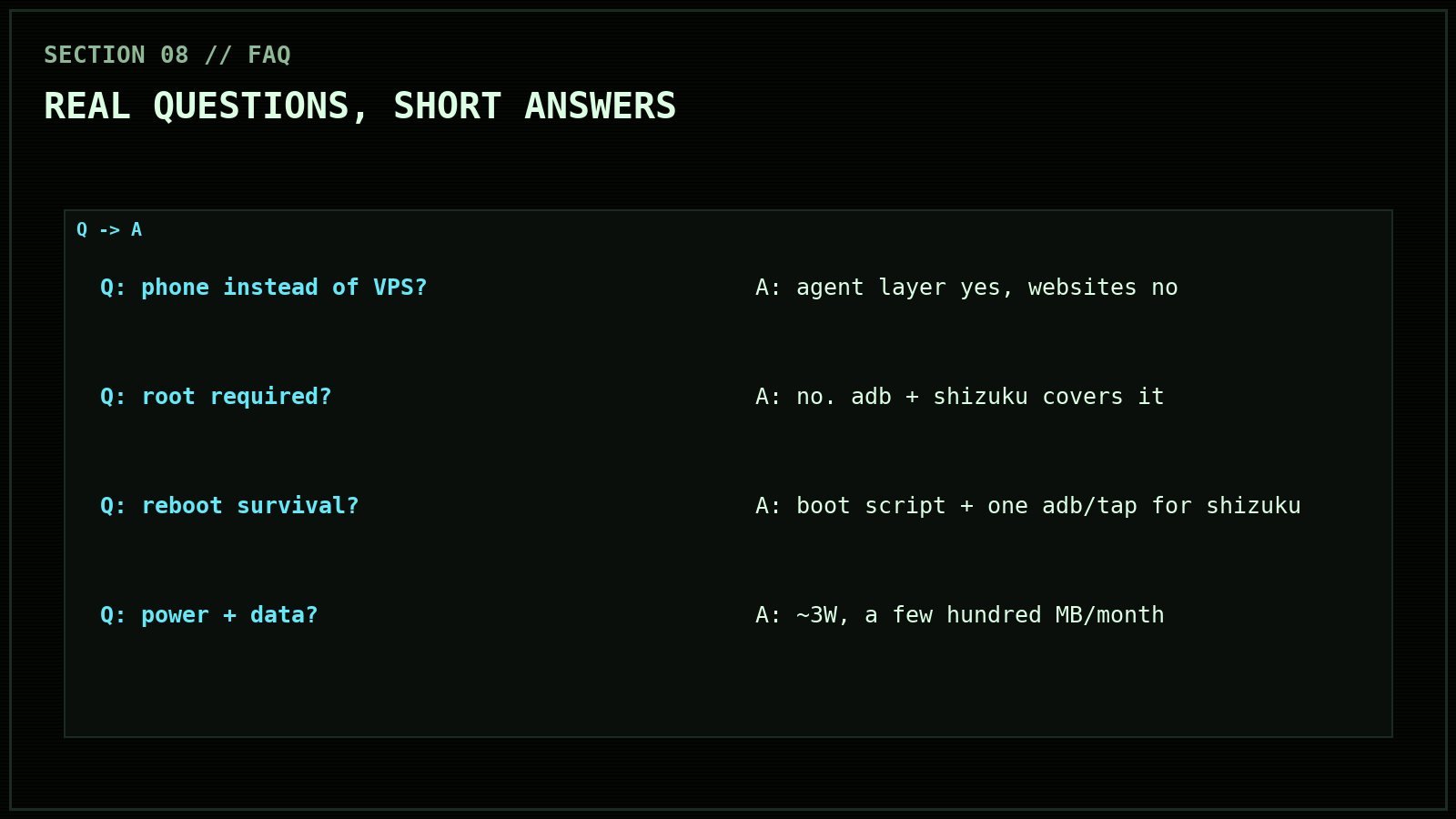
Can a phone really replace a VPS?
For the agent layer, yes. A personal AI gateway is an outbound workload: it polls Telegram and calls APIs, so it needs no inbound ports or static IP. For public-facing sites (blogs, apps, dashboards), no: those keep their real server, which can shrink to a cheap ingress box.
Do you need root to run Hermes on Android?
No. Termux runs the gateway fine as a normal app, and wireless ADB plus Shizuku provides shell-level control (uid 2000) for device management without touching /system or tripping Play Integrity. SELinux stays enforcing the whole time.
What happens when the phone reboots?
Termux:Boot fires a script that takes the wake lock and starts the gateway supervisor, so the agent comes back on its own. Shizuku does not survive reboot, so shell-level powers need one adb command (or one tap) after each power cycle.
How much data and power does it use?
Power: about 3 watts, and the battery doubles as a free UPS. Data: light. The gateway long-polls Telegram and calls model APIs on demand; a few hundred megabytes a month unless you make it compile things.
Why not just use a hosted AI assistant app?
Because then your memory, credentials, and tools live on someone else’s computer under someone else’s terms. Rented tools are the default; they are not the only option. This one is yours, end to end.
Your move
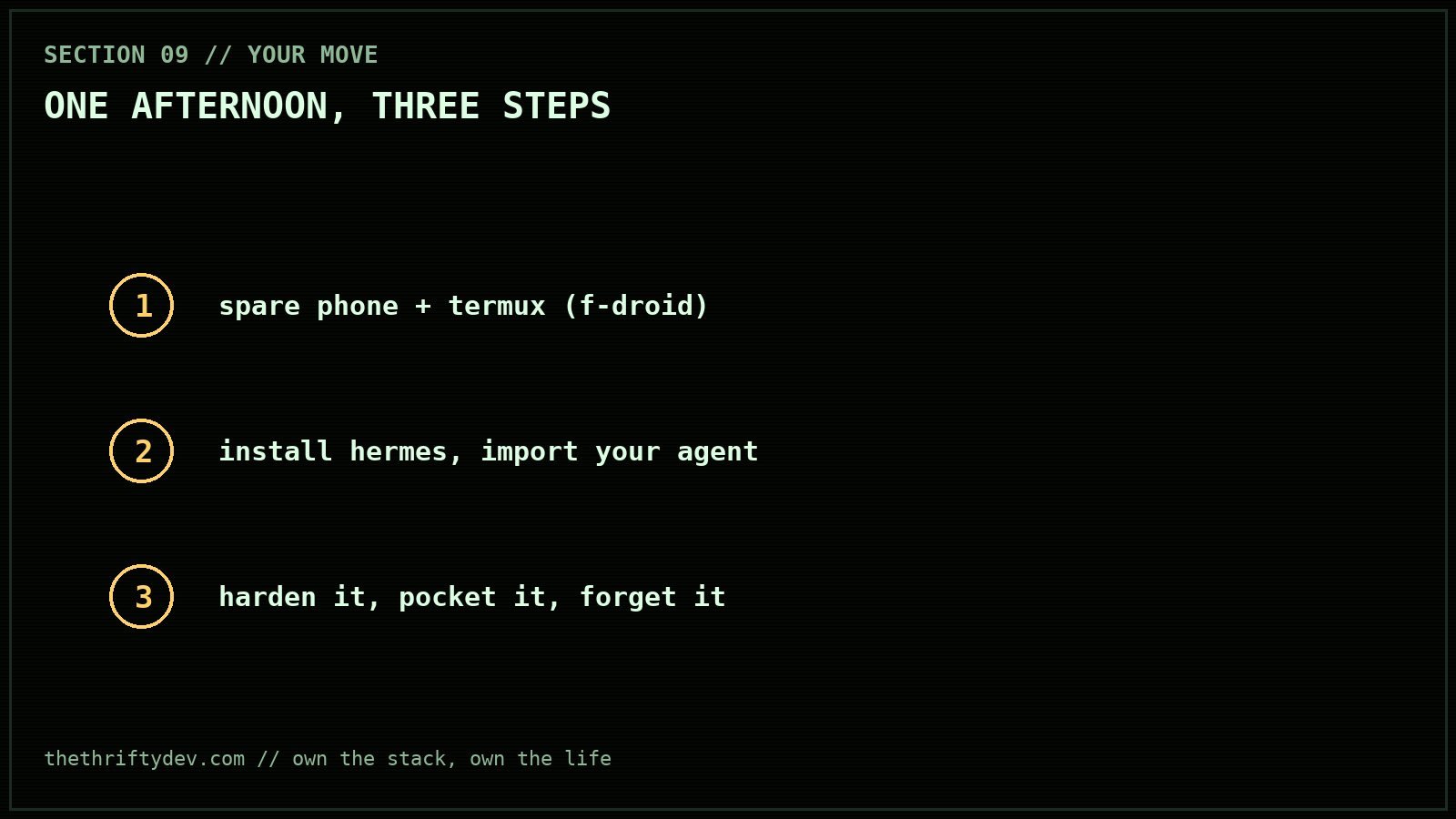
The playbook is above, every command tested on real hardware this week. Spare phone in a drawer, Termux from F-Droid, one afternoon. The first time your phone answers you with the screen off, you will get it.
Grateful for good tools and the people who build them. Own the stack, own the life.
{
“@context”: “https://schema.org”,
“@type”: “FAQPage”,
“mainEntity”: [
{
“@type”: “Question”,
“name”: “Can a phone really replace a VPS?”,
“acceptedAnswer”: {
“@type”: “Answer”,
“text”: “For the agent layer, yes. A personal AI gateway is an outbound workload: it polls Telegram and calls APIs, so it needs no inbound ports or static IP. For public-facing sites, no: those keep a real server, which can shrink to a cheap ingress box.”
}
},
{
“@type”: “Question”,
“name”: “Do you need root to run Hermes on Android?”,
“acceptedAnswer”: {
“@type”: “Answer”,
“text”: “No. Termux runs the gateway as a normal app, and wireless ADB plus Shizuku provides shell-level control (uid 2000) without touching /system or tripping Play Integrity. SELinux stays enforcing.”
}
},
{
“@type”: “Question”,
“name”: “What happens when the phone reboots?”,
“acceptedAnswer”: {
“@type”: “Answer”,
“text”: “Termux:Boot fires a script that takes the wake lock and starts the gateway supervisor, so the agent returns on its own. Shizuku needs one adb command or one tap after each power cycle.”
}
},
{
“@type”: “Question”,
“name”: “How much data and power does it use?”,
“acceptedAnswer”: {
“@type”: “Answer”,
“text”: “About 3 watts of power, and the battery doubles as a free UPS. Data use is light: a Telegram long-poll plus model API calls on demand, a few hundred megabytes a month unless it compiles software.”
}
},
{
“@type”: “Question”,
“name”: “Why not just use a hosted AI assistant app?”,
“acceptedAnswer”: {
“@type”: “Answer”,
“text”: “Hosted apps keep your memory, credentials, and tools on someone else’s computer under someone else’s terms. Running your own gateway keeps the entire stack under your physical control.”
}
}
]
}
Related tool write ups and comparisons are collected in the AI Tools and Private AI Hub.
Read next
What Frontier AI Actually Costs, and What Each Provider Keeps: The September 2026 Price and Privacy Table
15 min read·Published Sep 29, 2026NostrXFacebookRedditTelegramSMSCopyOn this page▾The price table: hosted inference, per million tokensThe retention table: what each provider’s own documents…
Open Weights Licensing in 2026: What You Can Actually Ship
0 0 votes Article Rating Part of Start Here This article is not legal advice. It is a survey of published license…
The Local Model VRAM Tracker
0 0 votes Article Rating Part of Start Here Data in this page is as of 29 September 2026. Prices move fast,…
